
PDF to PNG Converter
Windows 11/10/8/7 | Fully Functional 15 Days Free Trial
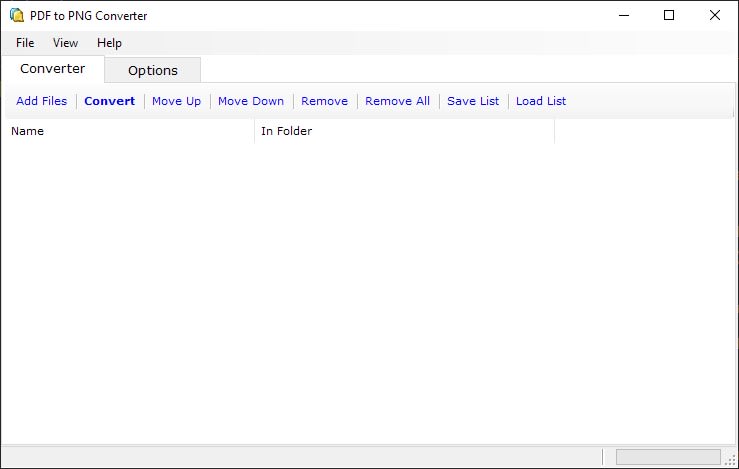
Effortlessly transform your PDF files into high-quality PNG images with our powerful desktop software, crafted specifically for Windows users. Our PDF to PNG converter operates entirely offline, ensuring that your data remains private and secure. There's no need for an internet connection, so you can convert your files locally, protecting them from any security risks or unauthorized access.
Lightning-Fast and Reliable PDF to PNG ConversionEngineered for speed and dependability, our software delivers rapid PDF to PNG conversions. Whether at home, in the office, or on the go, convert your documents to image format in seconds without needing an internet connection. Enjoy uninterrupted productivity with fast and efficient conversion, no matter where you are.
Efficient Batch PDF to PNG ConversionMaximize your efficiency by converting multiple PDF files to PNG images in one easy step. With our batch conversion feature, you can quickly and easily handle large volumes of files, eliminating the need to convert documents one at a time. Whether you're working with a few PDFs or thousands, our software makes bulk conversion simple and stress-free.
User-Friendly Drag-and-Drop InterfaceOur PDF to PNG converter is designed for ease of use, featuring an intuitive drag-and-drop interface. Just drag your PDF files into the software, and you're ready to start converting. This streamlined design enhances your workflow, allowing you to focus on your work without the hassle of navigating complex software.
Optimized for High-Volume ConversionsPerfect for high-volume tasks, our PDF to PNG converter handles bulk processing effortlessly. Whether converting a few PDFs or managing thousands, this robust software ensures quick and efficient conversions. Drag your files or folders into the converter, adjust your settings, and hit "Convert"—your PDFs will be transformed into high-quality PNG images in no time.
Flexible Conversion OptionsOur PDF to PNG converter offers customizable output settings tailored to your needs. You can adjust the resolution for both X and Y axes in DPI to ensure precise image quality. Additionally, choose from a variety of color settings including high color (24-bit), 256 color (8-bit), 16 color (4-bit), and grayscale (8-bit) to match your specific requirements.
Why Convert PDF to PNG?While PDF (Portable Document Format) is ideal for sharing and archiving documents, converting PDFs to PNG (Portable Network Graphics) images is beneficial when you need high-quality, lossless images for web use, design work, or presentations. PNG files offer superior image quality with transparency support, making them perfect for a wide range of applications.
ConclusionOur PDF to PNG Converter for Windows offers unmatched speed, security, and user-friendliness. Whether you're converting a few files or managing large-scale projects, this software provides the flexibility and efficiency you need. Don't compromise—download the top PDF to PNG Converter for Windows today and experience seamless, high-quality file conversion.
License Pricing
Lifetime license with one-time purchase | Free upgrades | 15-day money-back guarantee | Secure payments via FastSpring
Secure Payments via FastSpring
We partner with Bright Market, LLC, dba FastSpring, located at 801 Garden St., Santa Barbara, CA 93101, USA, for secure and efficient payment processing. Once your order is complete, FastSpring will immediately send a license key to the email address associated with your order. To activate your license, simply enter the key in the app. For your privacy, FastSpring does not share any sensitive payment information, such as credit card details, with us. Your transaction is completely secure.
One-Time Purchase with Lifetime License
Enjoy a lifetime of access with just a one-time purchase. Once you’ve acquired the license, there are no recurring fees or subscriptions. This lifetime license provides you unlimited use of our powerful conversion tools, making it a valuable, long-term investment for users who frequently work with image to PDF conversions.
Free Lifetime Upgrades
Stay up-to-date with all the latest features and enhancements, free of charge. Our lifetime license includes complimentary upgrades, ensuring you always have access to the most optimized and advanced version of our converter. Whether it’s new settings, increased speed, or enhanced usability, you’ll receive every improvement at no additional cost.
15-Day Money-Back Guarantee
We're confident you'll find our converter indispensable, but we understand that every user's needs are different. That's why we offer a 15-day money-back guarantee with your purchase. Try the software, explore its features, and if you're not fully satisfied, we'll gladly refund your payment within this period — no questions asked.
Contact Us
Product Support | Purchase Inquiries | Report an Issue
support@frameworkteam.com
Please feel free to contact us if you have encountered a problem with our product, you have a question about our product or purchase related question. If you are a licensed user, please include your order details, so that we can make your problem a priority for our support staff. Please note that the response will take some time (12 - 24 hours).